

React Native vs Flutter vs Native: Which to Choose in 2026
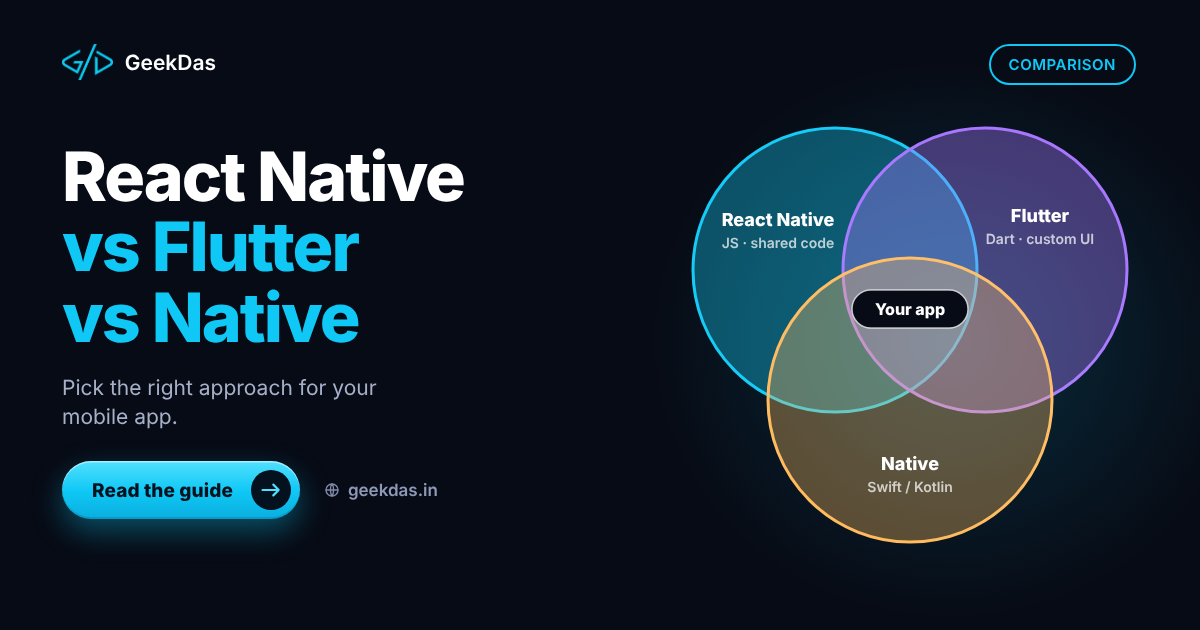
Choosing a mobile technology feels like a permanent decision, because rewriting an app is expensive. The loudest voices online tend to defend whatever they already use. The useful question is narrower: which option fits your app, team and budget?
This comparison covers the three main routes: React Native, Flutter and fully native development with Swift for iOS and Kotlin for Android. It explains how each works, where each is strong, how they compare across practical factors, and gives a simple way to decide. It assumes no deep technical knowledge but includes enough detail for developers. For the wider planning picture, see the cross-platform mobile app development guide.
How each option works
React Native uses JavaScript or TypeScript and React. The app's interface is composed of real native components for each platform, controlled from the JavaScript side.
Flutter uses the Dart language and draws its own interface with its own rendering engine rather than using the platform's built-in components. This gives very consistent visuals across devices.
Native development uses each platform's own language and tools: Swift (or Objective-C) for iOS and Kotlin (or Java) for Android. You build and maintain two apps.
Side-by-side comparison
Factor | React Native | Flutter | Native (Swift and Kotlin) |
|---|---|---|---|
Language | JavaScript or TypeScript | Dart | Swift and Kotlin |
Codebases | One | One | Two |
UI approach | Platform's native components | Own rendering engine | Platform's native UI toolkits |
Look and feel | Follows each platform automatically | Highly consistent, custom-drawn | Fully platform-native |
Performance | Very good for most business apps | Very good, strong for animation-heavy UI | Best, with direct hardware access |
Access to new platform features | Through libraries or native modules, can lag | Through plugins, can lag | Immediate |
Developer pool | Very large (web developers can transition) | Growing, smaller | Large but split between two skills |
Code sharing with web | High if the web app uses React | Limited (Flutter web exists, with trade-offs) | None |
Ecosystem | Very large, via npm | Large and curated | Platform-specific, mature |
Cost to build and maintain | Lower | Lower | Highest |
Best for | Business and consumer apps, teams with React skills | Highly branded, animation-rich apps | Graphics-heavy, deeply platform-specific apps |
Performance differences matter far less for typical apps (forms, lists, feeds, bookings, payments) than the comparison suggests. They become important in games, complex real-time graphics, heavy video or audio processing and apps depending on the newest platform capabilities.
When to choose React Native
Your team or developer already works in JavaScript, TypeScript and React.
You want to share logic or types with a web app and backend written in Node.js.
You want platform-native look and feel by default.
You are building a business, marketplace, booking, social or commerce app.
You want a large hiring pool and the ability to switch developers later.
When to choose Flutter
You want a highly customised, brand-driven interface that looks identical everywhere.
Your team is comfortable adopting Dart, or you are hiring Flutter specialists.
The app is animation-rich or design-led.
You do not need to share code with a React web app.
When to choose native
The app depends on advanced platform-specific capabilities, such as sophisticated camera pipelines, AR, health sensors or system-level integrations.
You need the highest graphics performance, as in games or 3D.
You are targeting one platform only and want the deepest integration.
You have, or can fund, separate iOS and Android teams.
What about "native vs cross-platform" cost?
Cost area | Cross-platform | Native |
|---|---|---|
Initial build | One team builds both platforms | Two builds |
Feature parity between platforms | Easier to keep consistent | Needs coordination |
Updates | One change, two releases | Two changes |
Bugs | Some are platform-specific, many shared | Per platform |
Hiring | One skill set | Two skill sets |
Platform-specific edge cases | May need native code occasionally | Direct |
Cross-platform does not remove native work entirely. Occasionally an app needs a custom native module, and an experienced cross-platform developer can write or integrate one. Interview for that; see hiring a React Native developer.
Is React Native still a good bet?
Frameworks are sometimes declared "dead" online, but React Native is widely used in production and actively developed, as is Flutter. Choosing either is reasonable. The risk is not the framework disappearing but choosing a tool your team does not know. Evaluate the current state of each project (release cadence, documentation, community activity) when you decide, since the landscape evolves.
Decision guide
Answer these in order:
Do you need a native app at all? A responsive web app or progressive web app may do, especially for an MVP. See MVP development for startups.
Does the app depend on cutting-edge platform features or heavy graphics? If yes, lean native.
Does your team know React or JavaScript? If yes, lean React Native.
Is a distinctive custom UI the core of the product? Consider Flutter.
Is budget or speed to market the priority? Choose cross-platform.
Do you plan to share code with a web product? React Native.
When two options remain, choose the one for which you can hire and maintain easily.
Other considerations
Backend: all three need a backend for accounts, data and payments. Whichever you pick, design the API alongside the app.
Backend language sharing: React Native with a Node.js backend means one language across the stack.
App store rules: all three must follow Apple and Google guidelines, which are independent of the framework.
Long-term maintenance: each platform's operating system updates require attention regardless of the technology; see App Store launch and maintenance.
Common mistakes
Choosing for trend or to follow a competitor.
Choosing a framework nobody on your team knows.
Starting native for both platforms with a tiny budget.
Assuming cross-platform means zero native work.
Ignoring the backend in the decision.
Overlooking maintainability. In two years, can you find developers?
My approach at GeekDas
GeekDas works with React Native and TypeScript, with Node.js backends, because it allows one developer to own the interface, API and store release for a focused product, and shares skills with the web projects built on React and Next.js. That is a preference grounded in the stack, not a claim that Flutter or native are worse. If your project fits another option better, I will recommend it. See the mobile app development service for details.
Conclusion
React Native, Flutter and native each have a place. For most business and consumer apps, a cross-platform framework gives the best balance of cost, speed and maintainability, and the choice between React Native and Flutter should follow your team's skills and product needs. Choose native when the app truly depends on platform-specific capability or maximum performance.
If you are deciding for a specific app, describe it in a short message and I will give you a candid recommendation.
Was this article helpful?
Comments
Leave a comment
Loading comments...